


Video Tutorial
Creating custom themes
To create your own custom themes in Unreal Engine, follow the steps below:
- Open Editor Settings by going to Edit > Editor Preferences.
- Click on Appearance.
- Under Theme > Active Theme, click the: Duplicate this theme and edit it button.
- Name your theme whatever you want, then modify the colors.
- Save the theme and enjoy the new look of the Unreal Editor.
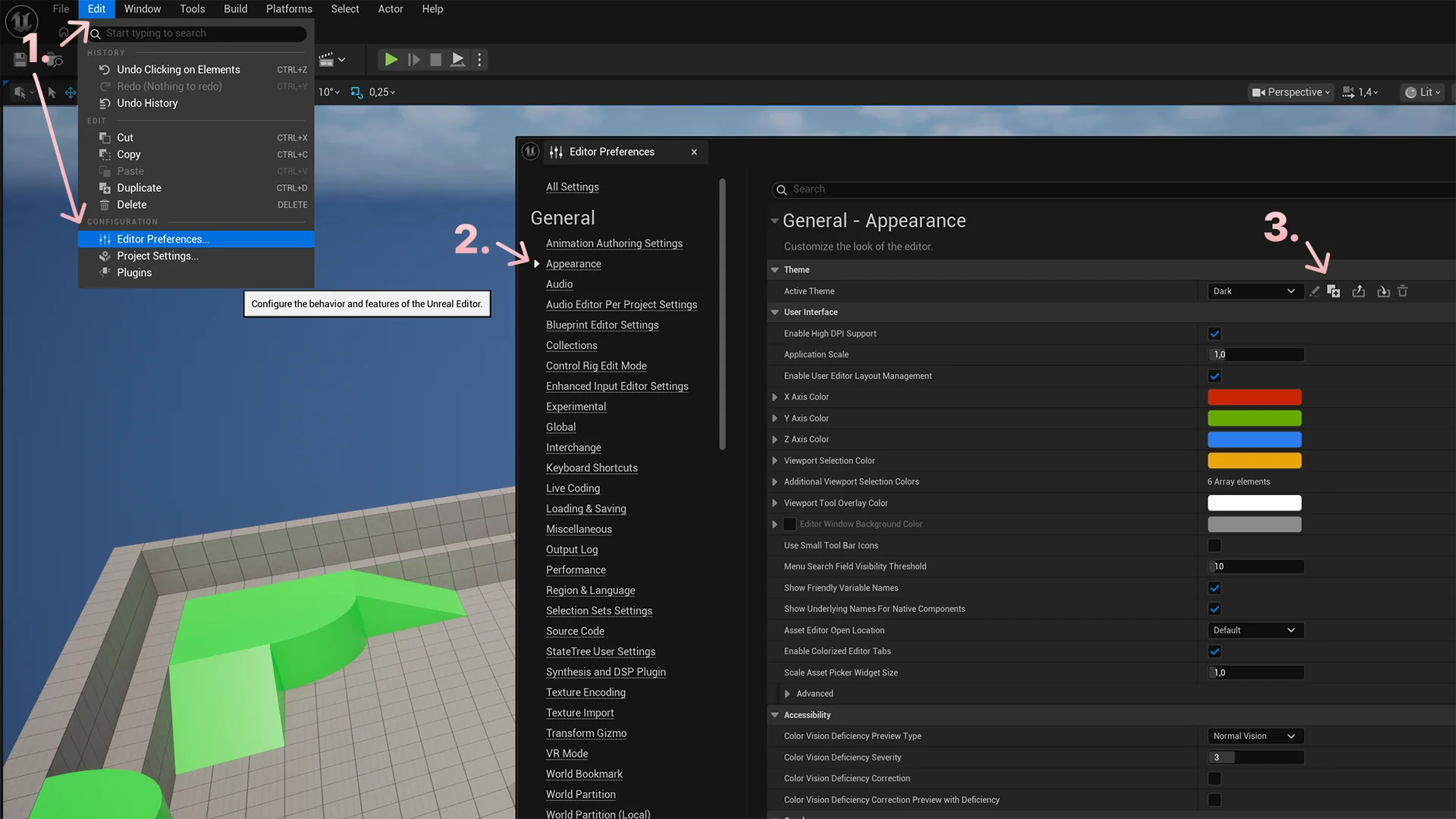
You can change the themes from the Active Theme dropdown menu.
Importing themes
You can import custom themes to Unreal Engine in two different ways.
Importing themes in Unreal Engine
- Open Editor Settings by going to Edit > Editor Preferences.
- Click on Appearance.
- Under Theme > Active Theme, click the: Import a theme from a file on your computer button.
- Locate the theme file on your computer and select it.
Adding themes to the themes directory
You can add the theme files (.json) directly to the themes folder for Unreal Engine. The folder location is: C:\Users\USERNAME\AppData\Local\UnrealEngine\Slate\Themes. Replace USERNAME with your actual username.
You need to restart Unreal Engine for the themes to appear in the Active Theme dropdown menu.
Custom grid colors
If you want to customize the grid colors to match your theme better, do the following:
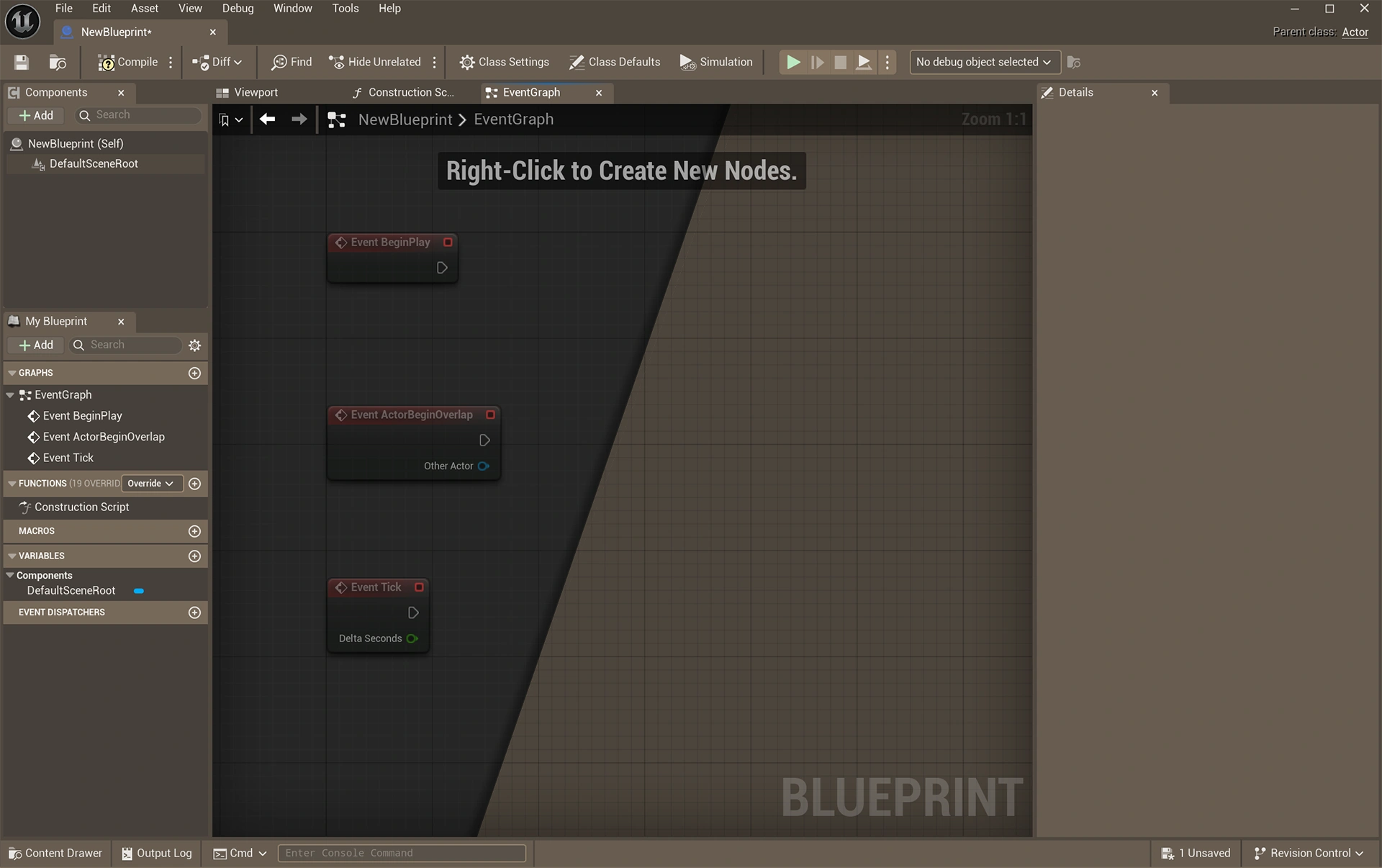
Create a custom background material
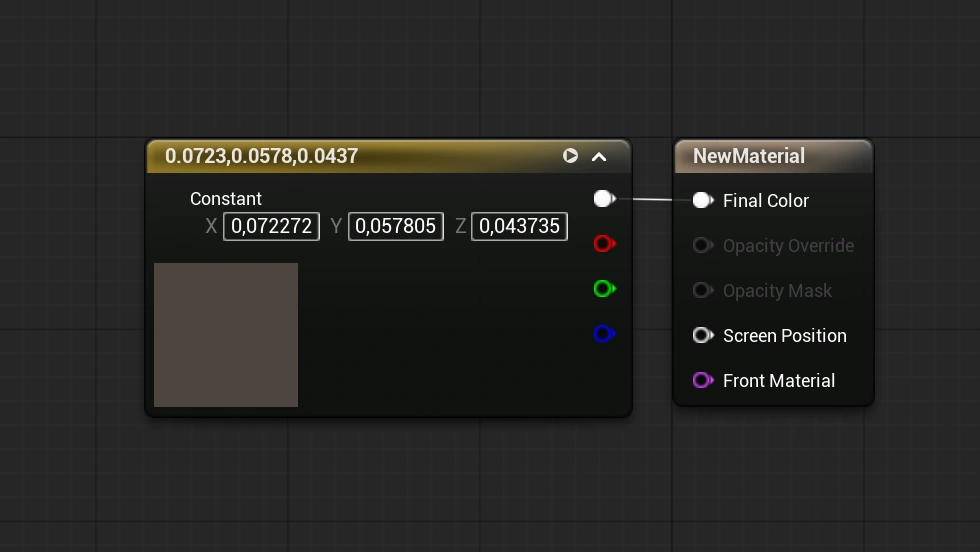
- Create a new material.
- Set the Material Domain to User Interface.
- Add a Constant 3 Vector and connect the top output (RGB) to the Final Color input.
- Change the Constant 3 Vector color to the color you want for the grid background.
- Apply and Save the material.
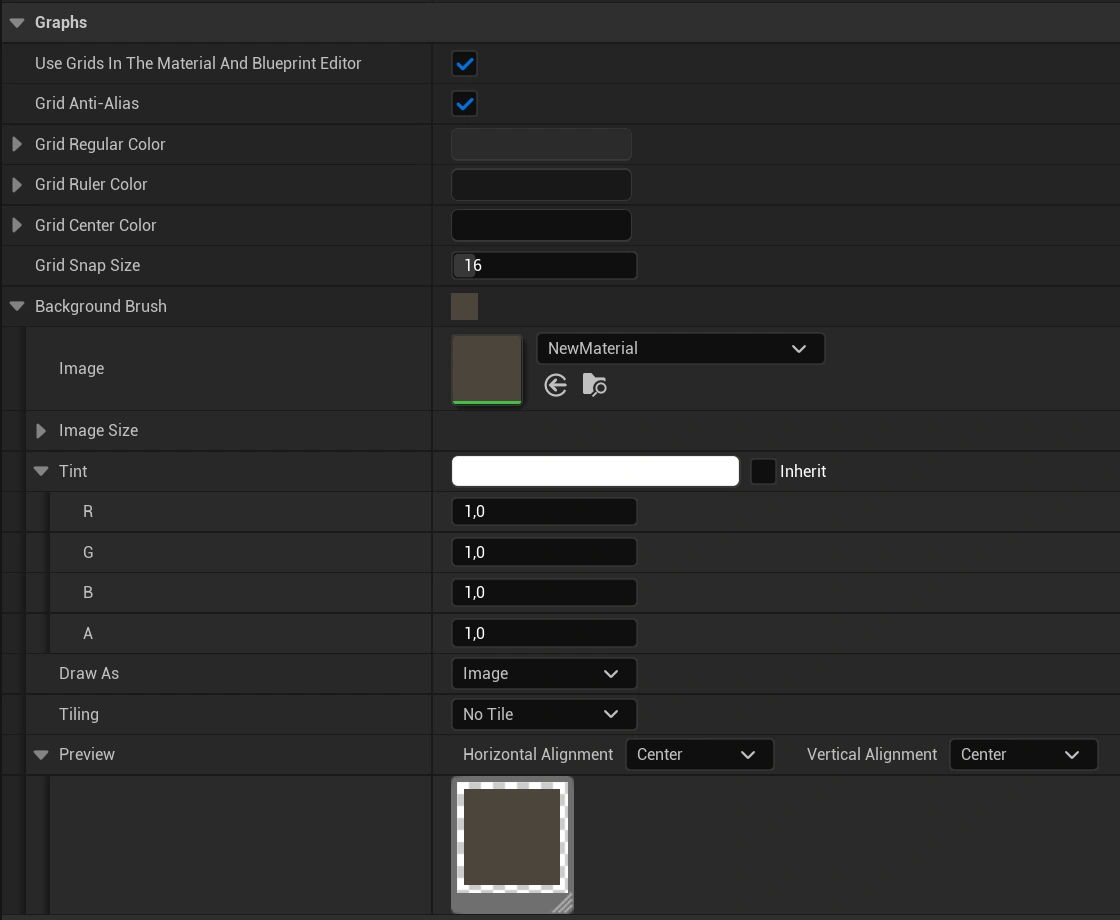
Change the grid color
- Open Editor Settings by going to Edit > Editor Preferences.
- Click on Appearance.
- Go to Graphs, expand Background Brush, and add your newly created material as the Image.
- Change the color or lower the opacity of the grid lines to improve the look of the grid:
- Grid Regular Color
- Grid Ruler Color
- Grid Center Color
Get our free themes
Download our 16 custom themes completely free. If you end up finding the themes useful, please make sure to leave a rating. It really helps support the work and lets me know people are enjoying it.
Also, if you decide to customize one of the themes further, or even create your own version from scratch, feel free to share it on our community channels. I would love to see what you come up with!