


Video Tutorial
What is volumetric fog?
Volumetric Fog in Unreal Engine is a rendering feature that gives fog real depth and volume within a scene. It allows light to scatter through the fog, making light beams, light shafts, and atmospheric environments look more realistic. It is commonly used to create mood, depth, cinematic lighting, and more immersive environments.
This article explains how to enable volumetric fog in both Unreal Engine and Unreal Editor for Fortnite (UEFN), and briefly demonstrates how it can be used together with our Advanced Fog asset pack.
How to enable volumetric fog
To enable volumetric fog in your project:
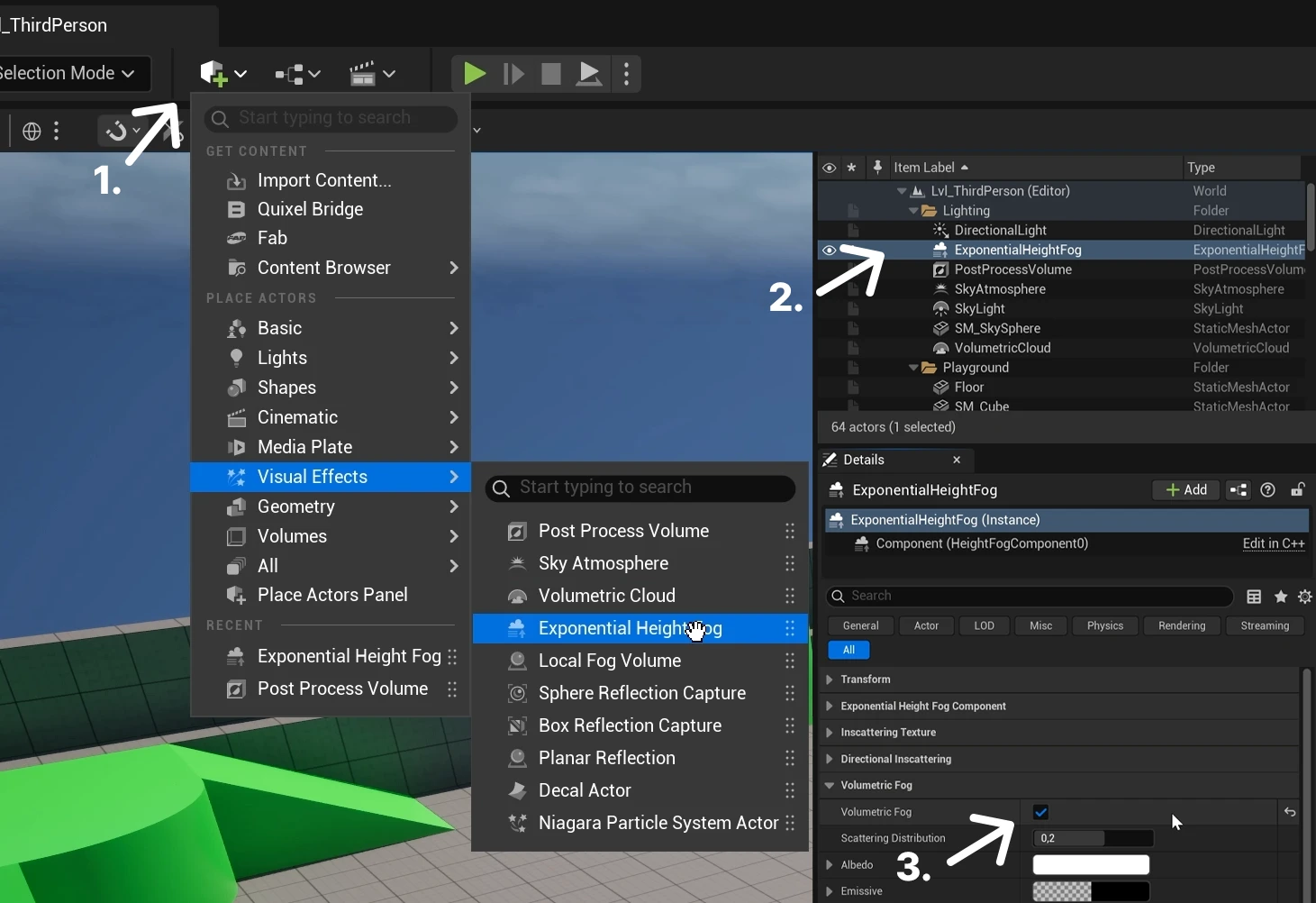
- Add an Exponential Height Fog actor to your scene if you do not already have one. You can find it in the Place Actors menu under the Visual Effects category.
- Select the Exponential Height Fog actor in your scene.
- In the Details panel, scroll down to find the Volumetric Fog section, and enable the Volumetric Fog option.
Using volumetric fog
To add local volumetric fog to your scene:
- Add a static mesh cube to your scene, then scale it to match the surface where you want the volumetric fog to appear.
- Apply one of the volumetric fog materials included in the Advanced Fog asset pack.
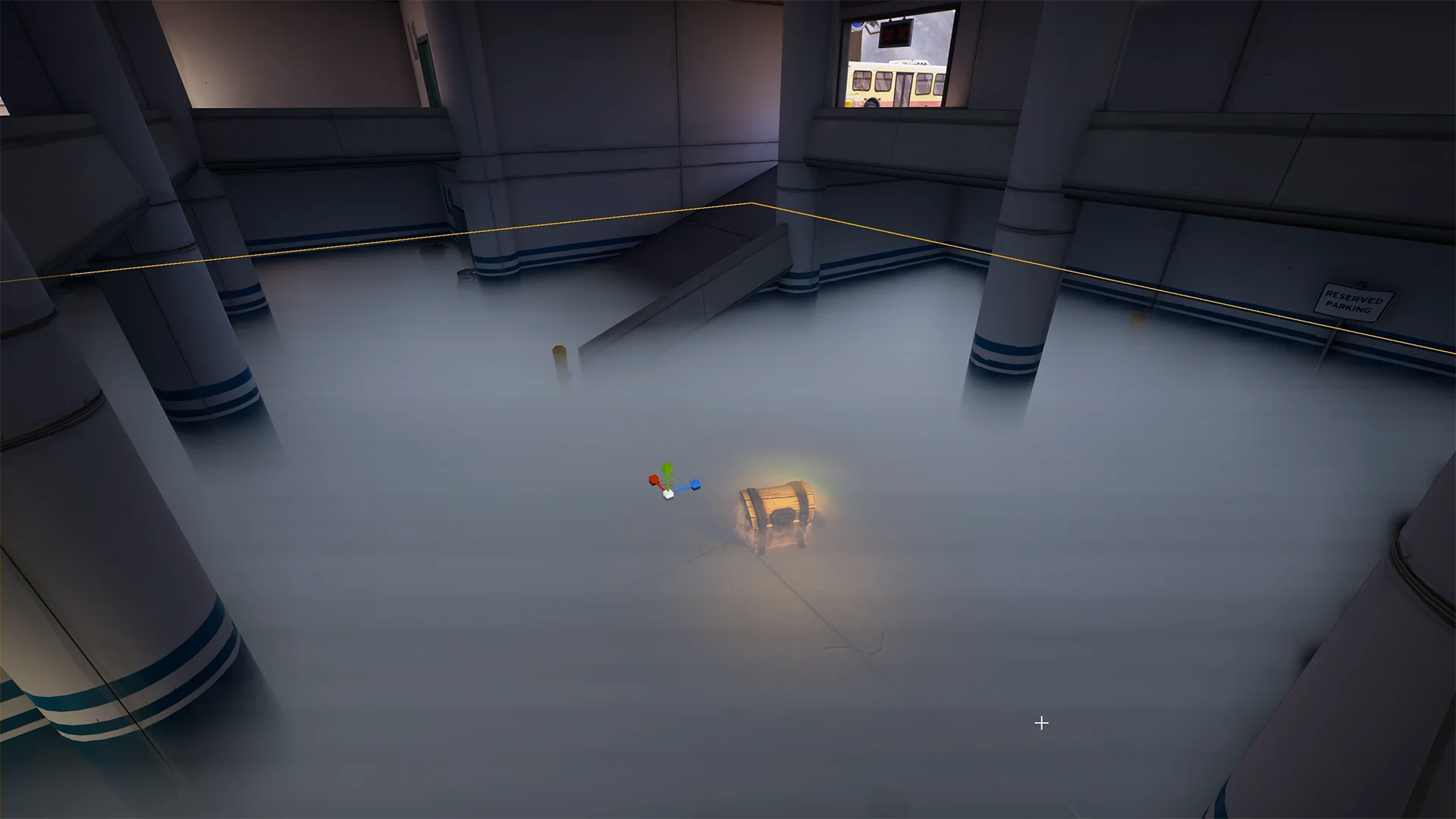
Keep in mind that volumetric fog is not enabled on lower-end hardware in either Unreal Engine or UEFN, so the effect may not appear on all platforms or devices.
Volumetric fog may appear to flicker and show artifacts inside the UEFN Editor. However, when testing the volumetric effect in-game, it works as expected.