


Information
Post process motion blur is disabled by default in the Unreal Engine viewport. Watch the video tutorial, or continue reading this article to learn how to enable it.
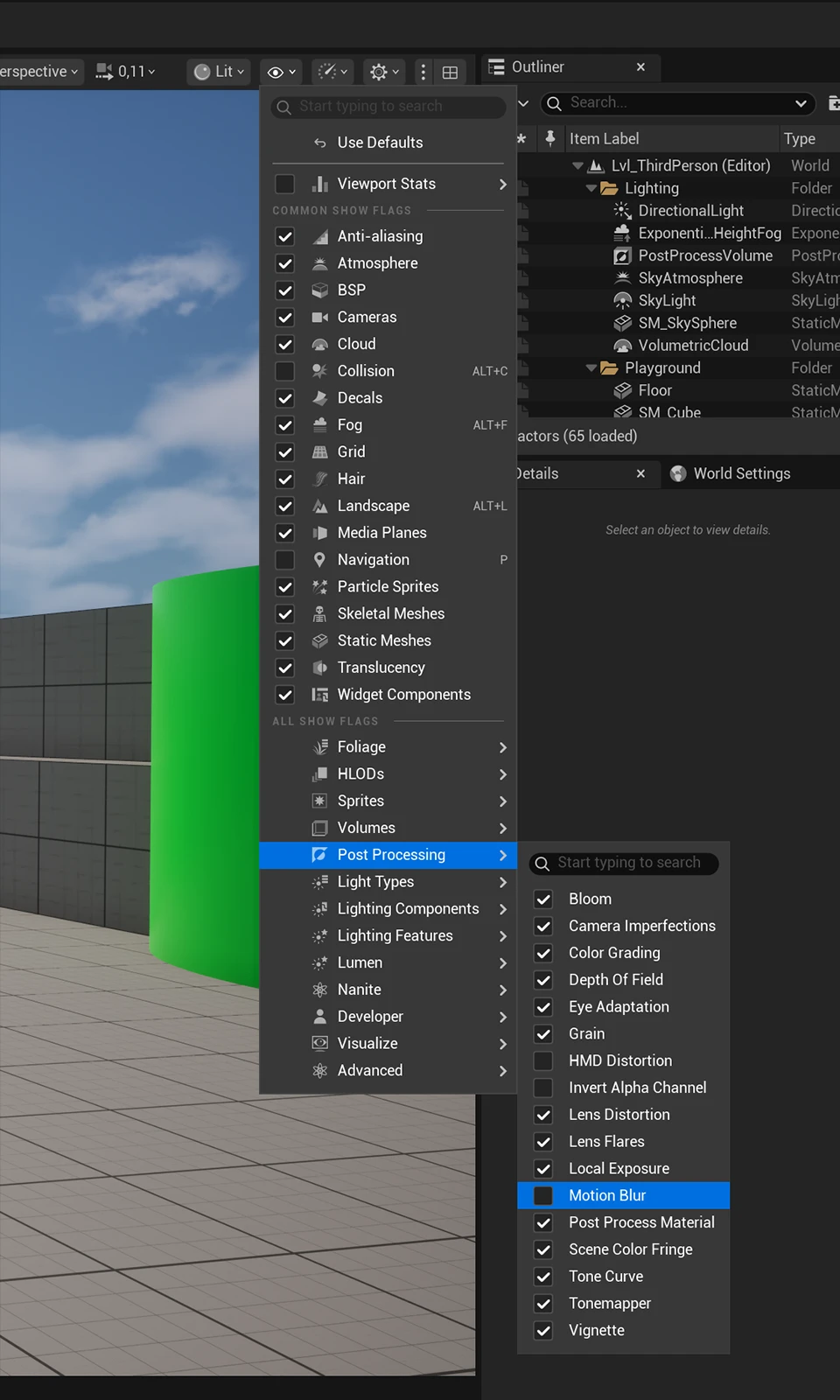
Toggle motion blur via Show Flags menu
If you want to enable motion blur, you can do it from the viewport toolbar: Show Flags > Post Processing > Motion Blur.
Toggle motion blur via console
An alternative method is to toggle the motion blur effect from the console. You can open the console by pressing the ~ key. If the console does not open, check your keyboard layout or open it through the editor's console command input.
Type the following console command to enable motion blur: ShowFlag.MotionBlur 1.
Enter: ShowFlag.MotionBlur 0 to turn it off.
Visualize motion blur
You can also toggle the motion blur visualization through the console with: ShowFlag.VisualizeMotionBlur 1
To turn the visualization off again, use: ShowFlag.VisualizeMotionBlur 0