


Information
When creating functions in Unreal Engine Blueprints, you can control where those functions are allowed to be used. This is done using the function's Access Specifier.
Access specifiers are useful for keeping Blueprint functionality organized and preventing functions from being used in places where they are not intended.
Prefer watching a video instead? Check out our Video Tutorial on this topic.
Change a function's access
Select a function inside the My Blueprint panel, then look in the Details panel for the Access Specifier setting. You can choose between Public, Protected, and Private depending on where you want the function to be accessible.
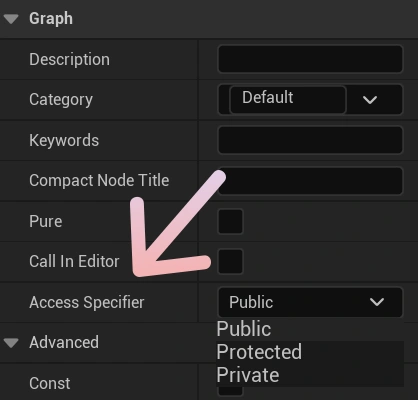
Public functions
A Public function can be accessed from the Blueprint itself and by other Blueprints that have a reference to it.
This is useful for functions that are intended to be part of the Blueprint's exposed functionality, such as interacting with an Actor or triggering an action from another Blueprint.
Protected functions
A Protected function can be used by the Blueprint itself and by Blueprints that inherit from it.
This is useful when creating parent Blueprints that contain shared functionality intended for their child Blueprints, without exposing those functions for general use elsewhere.
Private functions
A Private function is intended to be used only inside the Blueprint where it was created.
Private functions are useful for internal logic that other Blueprints or child classes do not need to access.