

Information
If you are new to Unreal Engine and your game looks slightly blurry even in fullscreen, you are not imagining it. The most common reason is TSR (Temporal Super Resolution). TSR is designed to help performance by doing something clever: it renders the game at a lower internal resolution, then upscales it to your monitor's resolution.
What TSR is doing
Think of it like this:
- Fullscreen resolution is the size of the final image you see (for example, 1920x1080 or 2560x1440).
- Internal render resolution is what Unreal actually draws before it gets upscaled.
With TSR on, Unreal often sets the internal resolution to something like 50% or 60% of your screen resolution. So you still output to 1080p or 1440p, but the scene was drawn using fewer pixels first, then TSR fills in the gaps. This can look great in motion and can save a lot of performance, but it can also make fine details and text look softer.
Why it happens by default
TSR is enabled as part of the default anti-aliasing and upscaling setup. Along with that, Unreal may apply a default screen percentage that is lower than 100% to balance performance and visuals on a wide range of hardware.
How to override the resolution scale
Option 1
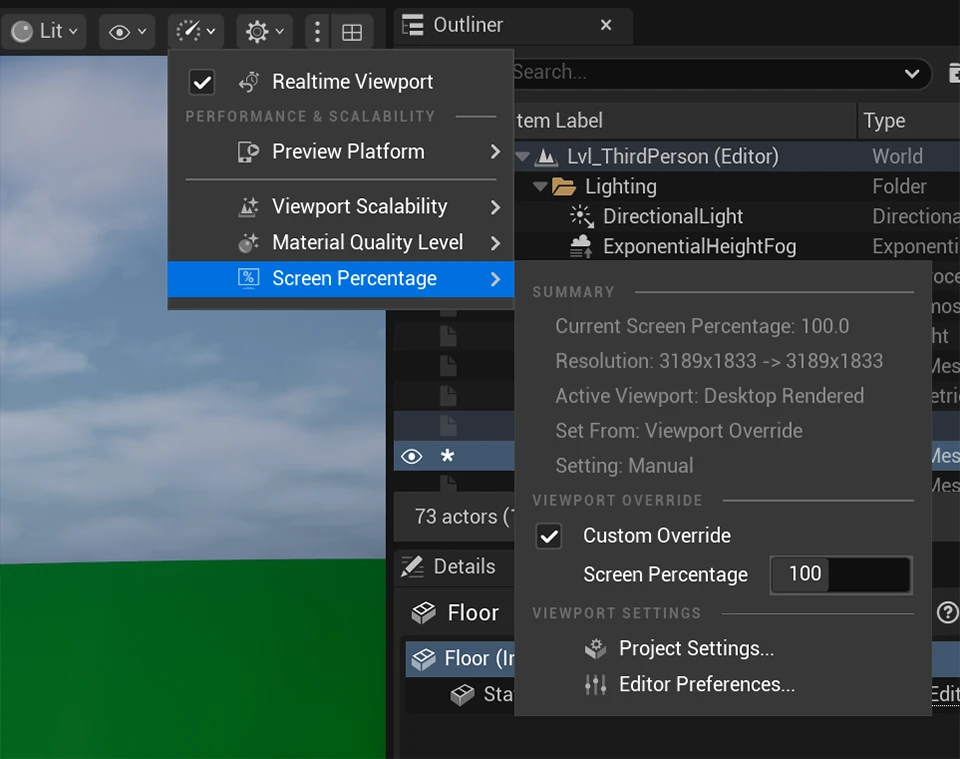
You can override the screen percentage in the Performance and Scalability tools menu.
- Open the Performance and Scalability tools menu found in your viewport toolbar.
- Go to Screen Percentage.
- Check Custom Override.
- Modify the Screen Percentage value. Increasing the value gives you a higher resolution.
Option 2
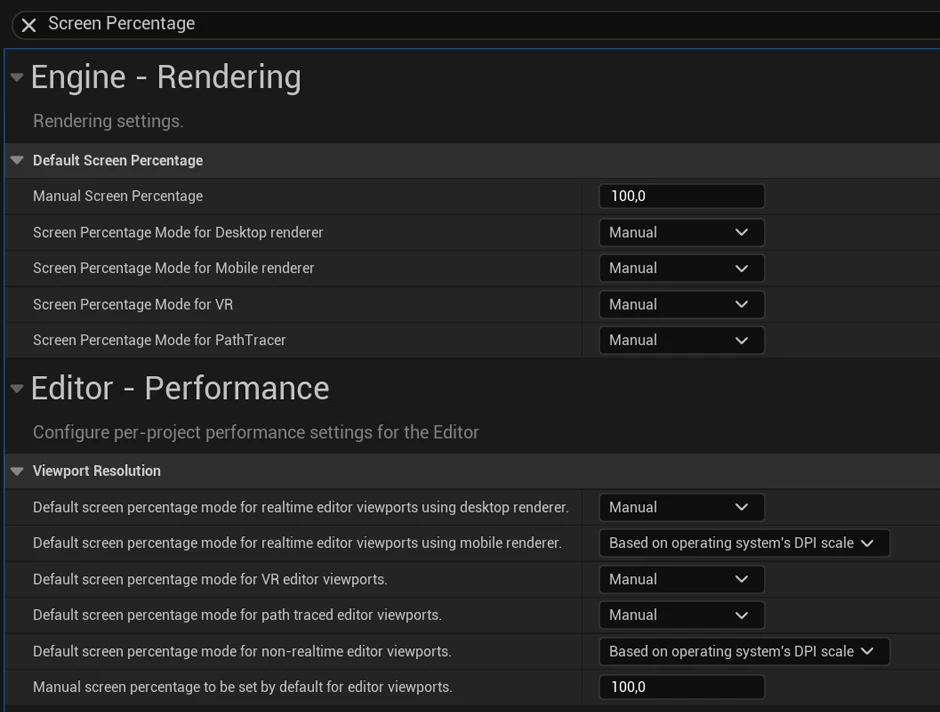
You can override the screen percentage permanently in the Project Settings.
- Open Project Settings by going to Edit > Project Settings.
- Search for: Screen Percentage.
- Increase the Manual Screen Percentage to your desired value. and ensure Screen Percentage Mode for Desktop renderer is set to Manual.
- Do the same for the Viewport Resolution section.