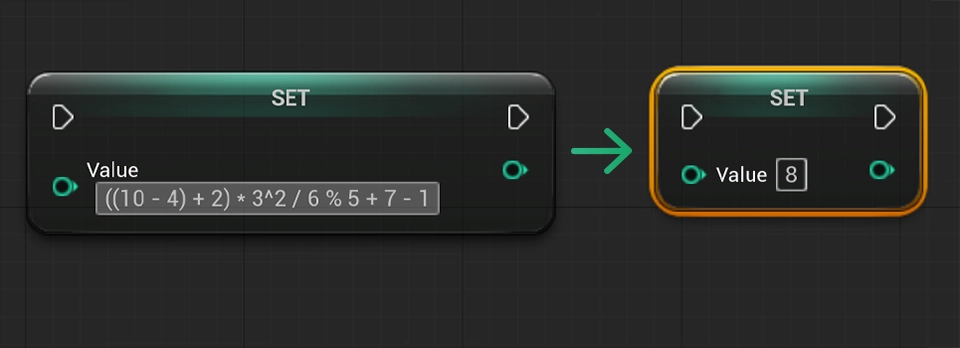


Solve equations inside Unreal Engine
Jumping between Unreal Engine and a calculator slows you down. I used to do it all the time for quick tasks, like moving an asset by an exact amount or dividing a number like 45.73834 by 3.
A better way is to do the math right inside Unreal. Just click any numeric field, type an equation, and press enter. Unreal will calculate it and automatically fill in the result. You can see this in action on my YouTube tutorial series where I post a new Unreal Engine tutorial every single day.
Valid numeric fields
- Byte
- Integer
- Integer64
- Float
- Vector
- Rotator
Available operators
- Parentheses: ()
- Exponents: ^
- Multiplication: *
- Division: /
- Modulo: %
- Addition: +
- Subtraction: -
Example
Enter the expression: ((10 - 4) + 2) * 3^2 / 6 % 5 + 7 - 1 in one of the nodes listed above and press enter on your keyboard. The value of the field will change to 8.