


Information
When working with Blueprints in Unreal Engine, you may want a child Blueprint to change how a function from its parent behaves. This is where function overrides are useful.
Overriding a function allows a child Blueprint to provide its own implementation of a function defined by its parent. This makes it possible to reuse shared functionality while still allowing individual Blueprints to behave differently.
Prefer watching a video instead? Check out our Video Tutorial on this topic.
How function overrides work
When a function is defined in a parent Blueprint, a child Blueprint can override it and provide its own logic. The child can replace the original behavior, extend it, or call the parent implementation before adding additional functionality.
This is especially useful when several Blueprints share the same base functionality but need small differences in how they behave.
Example
For example, a parent weapon Blueprint might contain a Do Fire Damage function with shared weapon functionality. Different child weapon Blueprints can then override the Do Fire Damage function to handle firing in different ways.
One weapon might fire a single projectile, while another could use a different firing method while still sharing the rest of the functionality provided by the parent Blueprint.
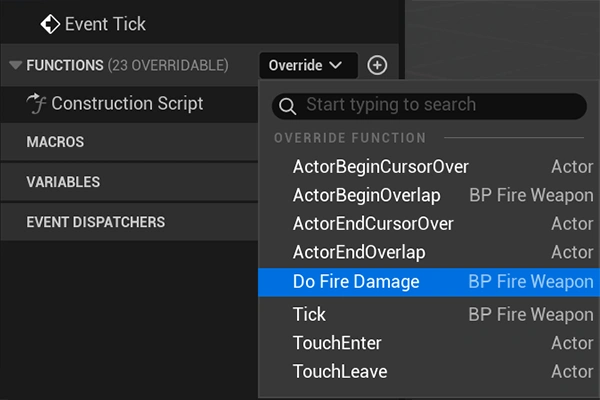
Call the parent function
When overriding a function, it is important to consider whether the parent implementation should still run. In many cases, calling the parent function allows you to keep the shared behavior while adding logic specific to the child Blueprint.
If the parent implementation is not called, the child Blueprint can completely replace the original behavior instead.