


Information
Pure functions in Unreal Engine are Blueprint functions that do not have white execution pins. Instead of being triggered by an execution flow, they are evaluated automatically whenever another node needs their output value.
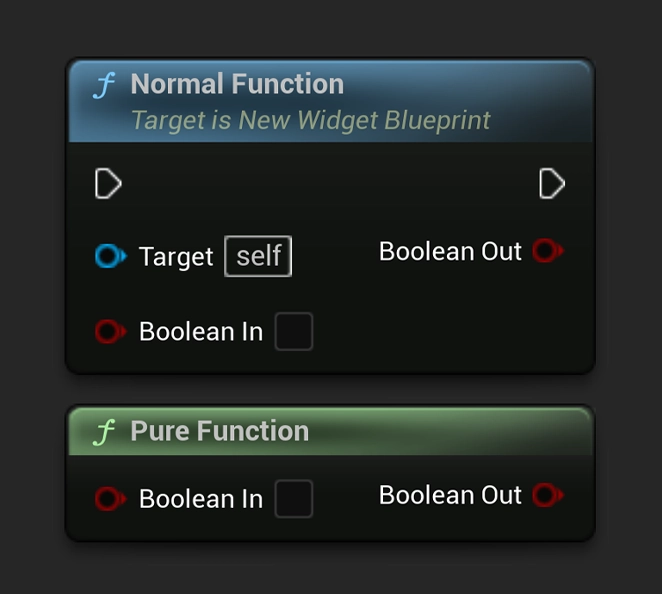
What makes a function pure
A pure function should only calculate or return information. It should not change variables, spawn actors, play sounds, move objects, or cause gameplay effects. Because of this, pure functions are best used for logic that gets data, checks conditions, or performs calculations.
How to make a function pure
Open your Blueprint, then select the function in the My Blueprint panel. In the Details panel, enable Pure. The function node will no longer use execution pins and will instead behave like a value node.
When to use pure functions
Pure functions are useful for things like checking if a player has enough health, calculating a distance, returning a formatted name, getting a value from another object, or deciding whether a condition is true or false.
Be careful with repeated evaluation
A pure function can be evaluated multiple times if its output is used by multiple nodes. Because of this, avoid putting expensive calculations inside pure functions unless necessary. If the result is used many times, it can be better to store the value in a variable first.
When not to use pure functions
Do not use pure functions for logic that should happen once in a specific order. If the function changes something, triggers an event, or depends on execution timing, it should usually be an impure function with execution pins.