

Information
A quick way to optimize your game is to reduce texture resolution. You do not need to open an external image editing program, since you can adjust texture resolution directly in Unreal Engine. Watch the video tutorial, or follow the steps in this article.
How to lower texture resolution
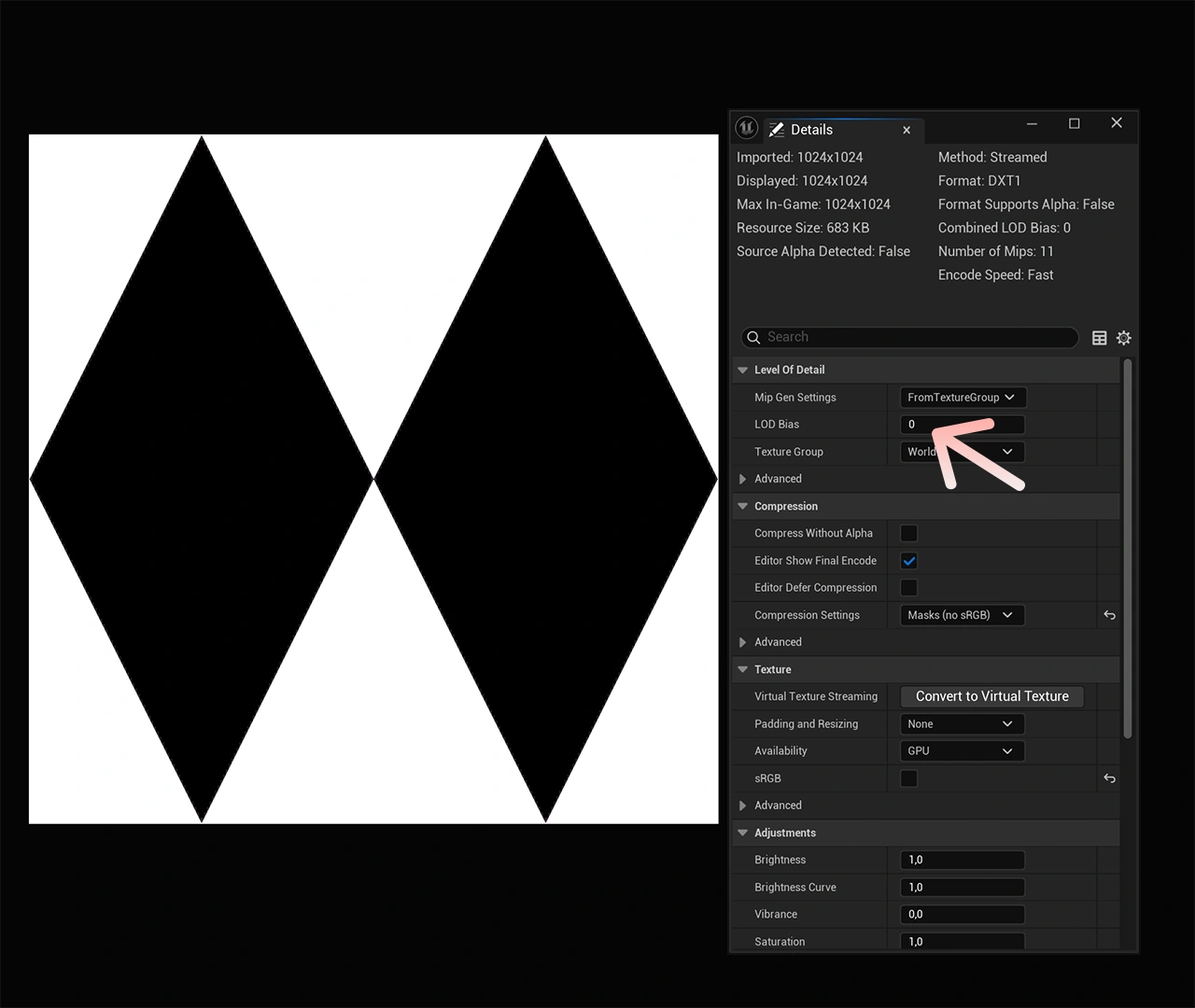
To lower a texture's resolution, double-click the texture you want to edit. In the Details panel on the right, find the LOD Bias property and increase its value. Each time you increase the value by 1, the texture resolution is cut in half.
Example: A texture with a resolution of 1024x1024 pixels, with a LOD Bias of 2 becomes 256x256 pixels.