

Information
You can save up to 10 bookmarks in Unreal Engine, which store your position and rotation in the viewport. If you work with level design, cinematics, or anything else that requires moving around a scene quickly, this is a feature worth using. When I worked at a studio on a large open-world game, we used bookmarks all the time to jump between major areas of the city.
One thing to keep in mind is that bookmarks are saved in the level itself and are not tied to individual users. That means someone else can override your bookmarks. I actually ended up creating a plugin for user-specific bookmarks, but that is probably a bit excessive for this article.
If you would rather watch a video than read about it, check out this video tutorial covering the bookmark feature.
How to set bookmarks
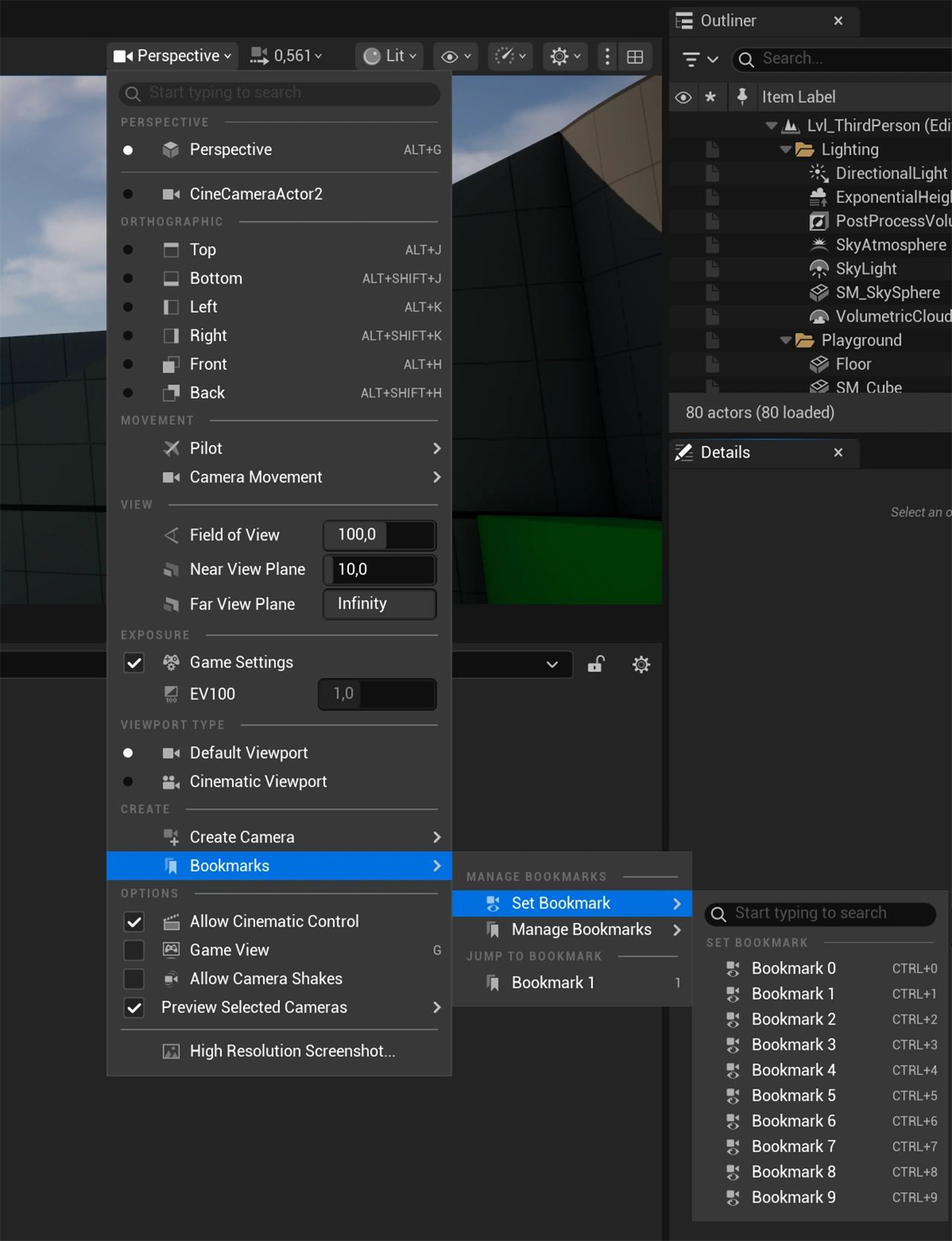
To set a bookmark, use Ctrl + 0 through Ctrl + 9. To return to a saved bookmark, just press the corresponding number key, such as 0, 1, or 6. Unreal saves both the position and rotation in the bookmark. You can also set and clear bookmarks from the Bookmarks sub-menu shown in the image below. You will find it under Camera Options (Perspective) > Bookmarks.