


Information
When you reference an asset in Unreal Engine, the type of reference you use can affect when that asset is loaded into memory. A normal hard reference can cause the referenced asset to be loaded when the object containing the reference is loaded.
A soft reference stores an indirect reference to the asset instead. This allows Unreal Engine to know which asset you are referring to without requiring it to already be loaded into memory.
Prefer watching a video instead? Check out our Video Tutorial on this topic.
Create a Soft Object Reference
Create a variable in your Blueprint and choose the type of asset you want to reference. Instead of using the regular Object Reference type, change it to a Soft Object Reference.
You can then assign an asset to the variable like a normal reference, but the asset does not need to be loaded simply because the Blueprint containing the reference is loaded.
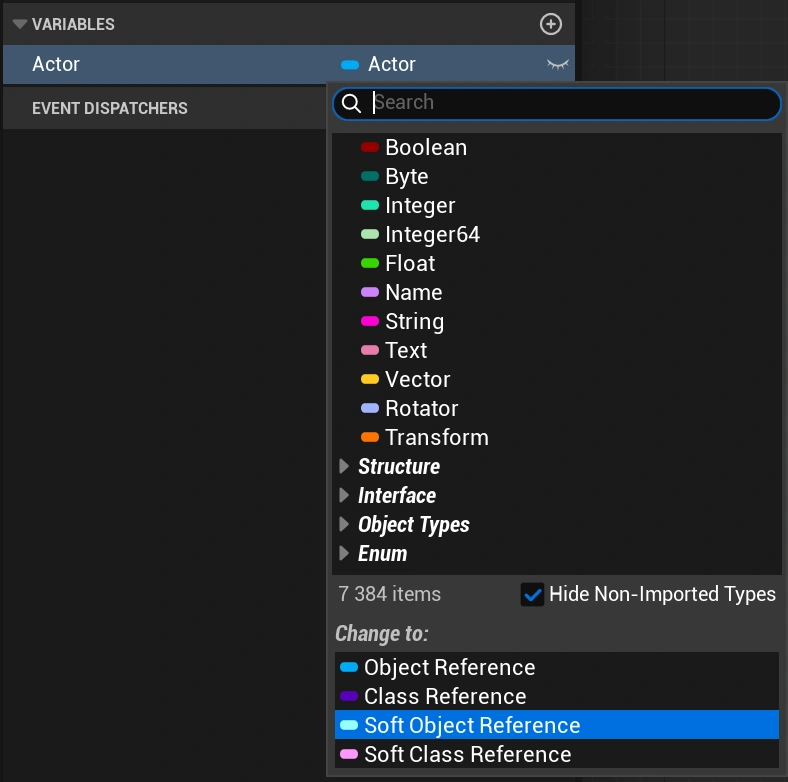
Soft Object References
A Soft Object Reference points to a specific asset, such as a texture, static mesh, material, sound, or Data Asset.
This is useful when you know which asset you want to reference but do not need that asset loaded until it is actually required.
Soft Class References
A Soft Class Reference works similarly, but references a class instead of a specific object. This can be useful when referencing Blueprint classes that you may want to load or spawn later.
For example, you could store several enemy Blueprint classes as soft class references and only load the class for an enemy when it is needed.
Load a Soft Reference
Because a soft reference does not guarantee that the referenced asset or class is already loaded, you need to load it before using it when necessary.
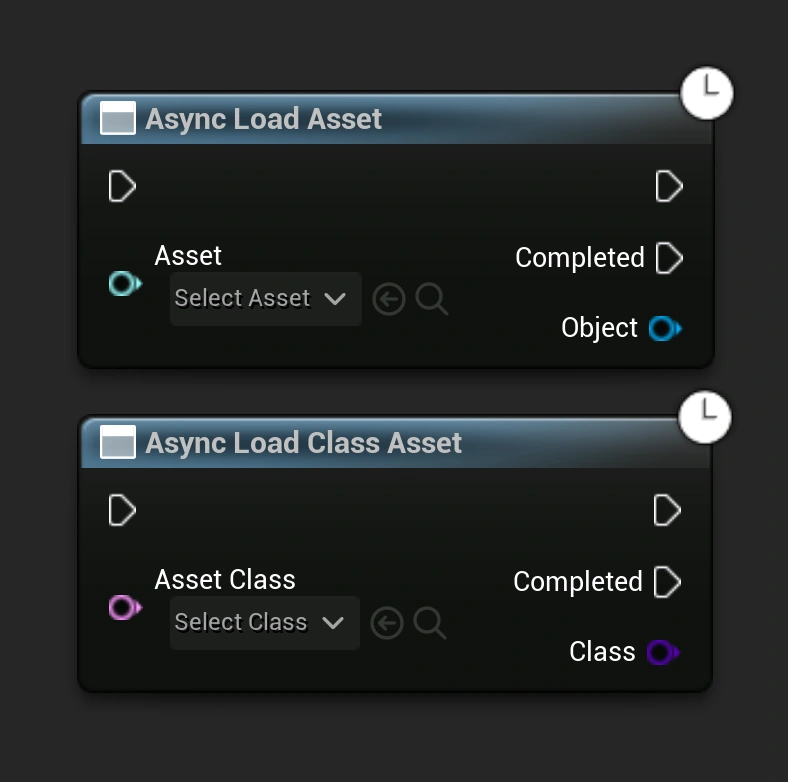
In Blueprints, you can use Async Load Asset for a Soft Object Reference or Async Load Class Asset for a Soft Class Reference. Once loading completes successfully, the node provides the loaded object or class so you can continue using it.
Hard References vs Soft References
Hard references are convenient when an asset is always required and should be available immediately. Soft references are useful when an asset is optional, expensive to load, or only needed in certain situations.
For example, a menu containing references to hundreds of items does not necessarily need every item's meshes, textures, and other assets loaded at the same time. Soft references can allow those assets to be loaded only when they are actually needed.
When to use Soft References
Soft references are especially useful for larger projects where controlling asset loading and memory usage becomes important. They can be used for items, characters, levels, cosmetic assets, Data Assets, and other content that does not always need to remain loaded.
Use soft references when you want to reference an asset without automatically requiring that asset to be loaded into memory.