


Information about Wildcards
Wildcards in Unreal Engine are commonly used in Blueprint macros to create flexible inputs and outputs that do not start with a fixed variable type. Instead of making separate macros for integers, floats, strings, objects, or other data types, a wildcard pin can adapt based on what you connect to it. Watch the video tutorial to learn more, or follow the steps in this article.
What a wildcard pin does
A wildcard pin acts like an undefined variable type. When the macro is first created, the pin does not know what type it should be. Once you connect it to a specific value, Unreal Engine assigns the matching type to that pin inside the macro.
For example, if you connect an integer to a wildcard pin, the pin will behave like an integer. If you connect a string instead, it will behave like a string. This makes wildcards useful when you want one macro to work with multiple data types.
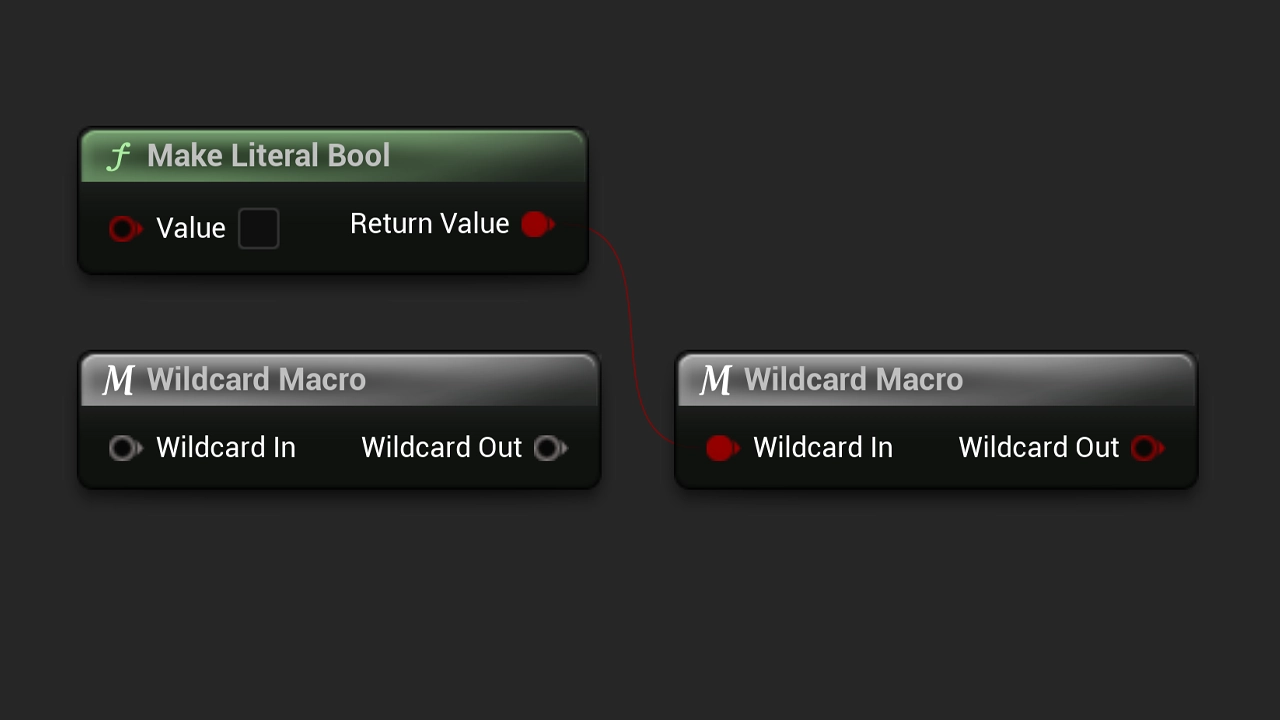
How to use wildcards in a macro
Create or open a Blueprint Macro Library or a Macro. In the macro's input or output settings, add a pin and set its type to Wildcard. You can then use that pin as a flexible value that gets its final type from whatever is connected to it.
When wildcards are useful
Wildcards are especially helpful for reusable utility macros, comparison logic, pass-through values, selection logic, and other cases where the structure of the logic stays the same but the variable type may change.
They help reduce duplicated Blueprint code and make your macro libraries cleaner, since you do not need to create a separate version of the same macro for every variable type.
Things to keep in mind
Wildcard pins are flexible, but they still need a type before the Blueprint can compile correctly. If Unreal Engine cannot determine the type from the connected nodes, you may need to connect a valid value or adjust the macro so the wildcard pin has enough context.