
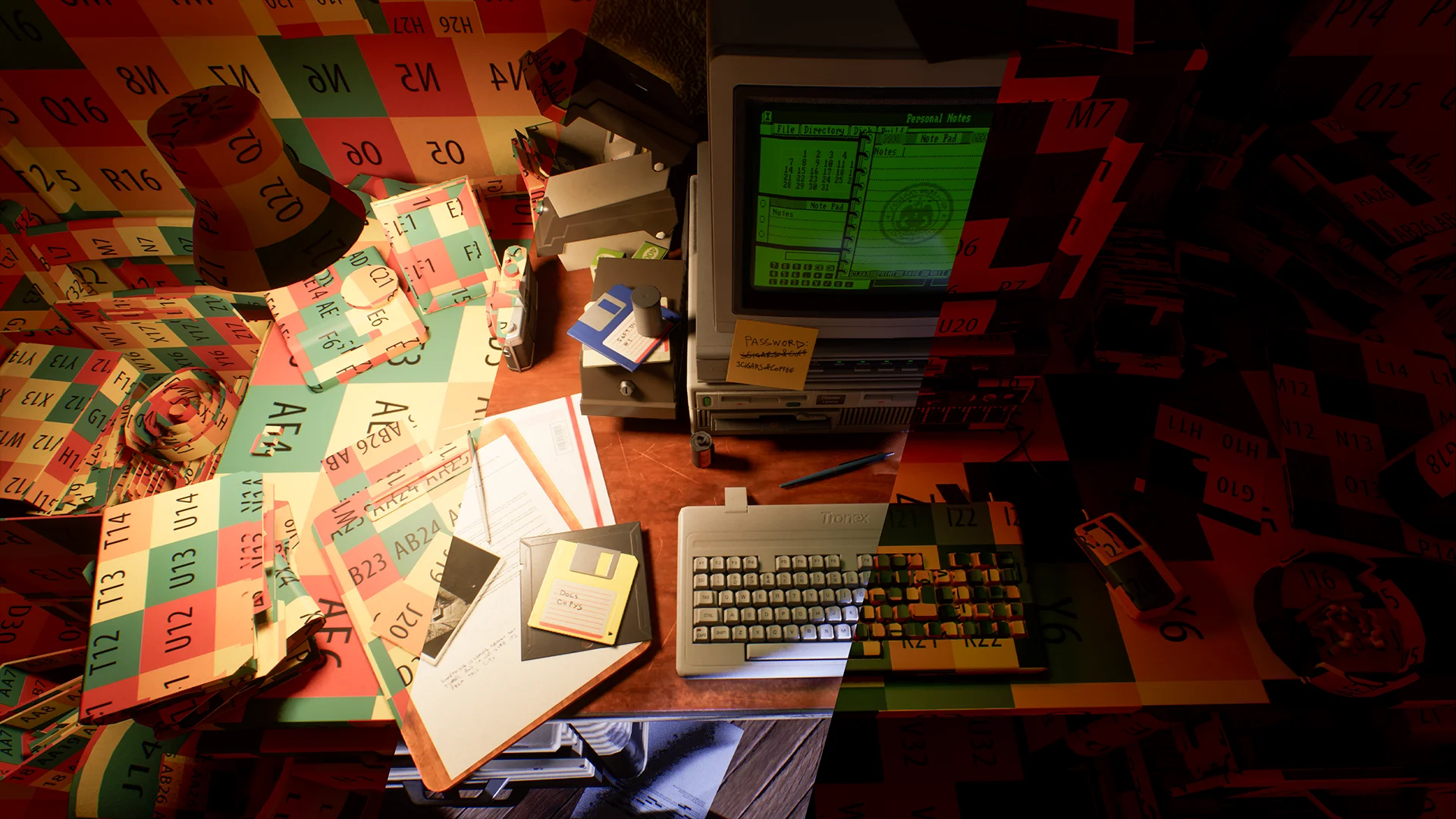
Texel Density Textures
Texel density textures for any game engine or DCC.
- Commercial License
- FREE Lifetime Updates
- And 15+ other features and benefits!
 Get on Gumroad


Information
This is one of the most widely used texel density texture packs out there, with thousands of people already using it in their projects and 3D modeling workflows. It includes 20 textures in 5 different colors, ready to use in any game engine or DCC, and gives you a quick way to check UV scale, keep texture resolution consistent, and spot stretching or uneven scaling across your assets.
It works just as well for individual props as it does for larger environments, helping you keep things consistent while you build and iterate. Texel density is simply the amount of texture resolution an object gets relative to its size, so keeping it consistent helps assets of a similar scale maintain a similar level of detail throughout a scene.
Using the textures is straightforward. Apply one to your asset and compare the size of the grid or pattern across your meshes. If it looks larger or smaller on one asset, adjust the UV scale until everything feels consistent.
An editable PSD file is also included, so you can customize the textures further if you want. Change the colors, labels, layouts, or use the existing setup as a starting point for creating your own versions.
Included Files
 Total Files
- 21
 Total Size
- 8.16 MB
 Textures (512px / 4K)
- 20
 Misc Files (PSD)
- 1
All files and assets adhere to Unreal Engine naming conventions (such as, T_Texture, BP_Actor) and are organized in a clear, consistent folder structure.
Changelog
- 1.1 (Current – 2026-09-12)
- Migrated product to the new website.
- 1.0 (2017-04-30)
- Initial release.
Frequently Asked Questions
What is texel density?
Texel density describes how much texture resolution is applied to a given amount of surface area on a 3D model. In simple terms, it determines how detailed a texture appears relative to the size of the object. It is commonly measured in pixels per unit, such as pixels per meter or pixels per centimeter.
Keeping a consistent texel density across different objects helps textures maintain a similar level of sharpness and detail throughout a scene. For example, if two objects use the same texel density, a one-meter section of each object will receive roughly the same amount of texture resolution, even if the objects themselves are different sizes.
Texel density is especially useful when creating modular environments, game assets, and large scenes where consistent texture quality is important. A higher texel density provides more texture detail but requires more texture resolution and memory, while a lower texel density uses fewer resources but may appear softer or less detailed.
Can't find what you're looking for?
We're happy to help! Our goal is to make sure you never get stuck!