


Video Tutorial
What is the Custom Depth Stencil Pass?
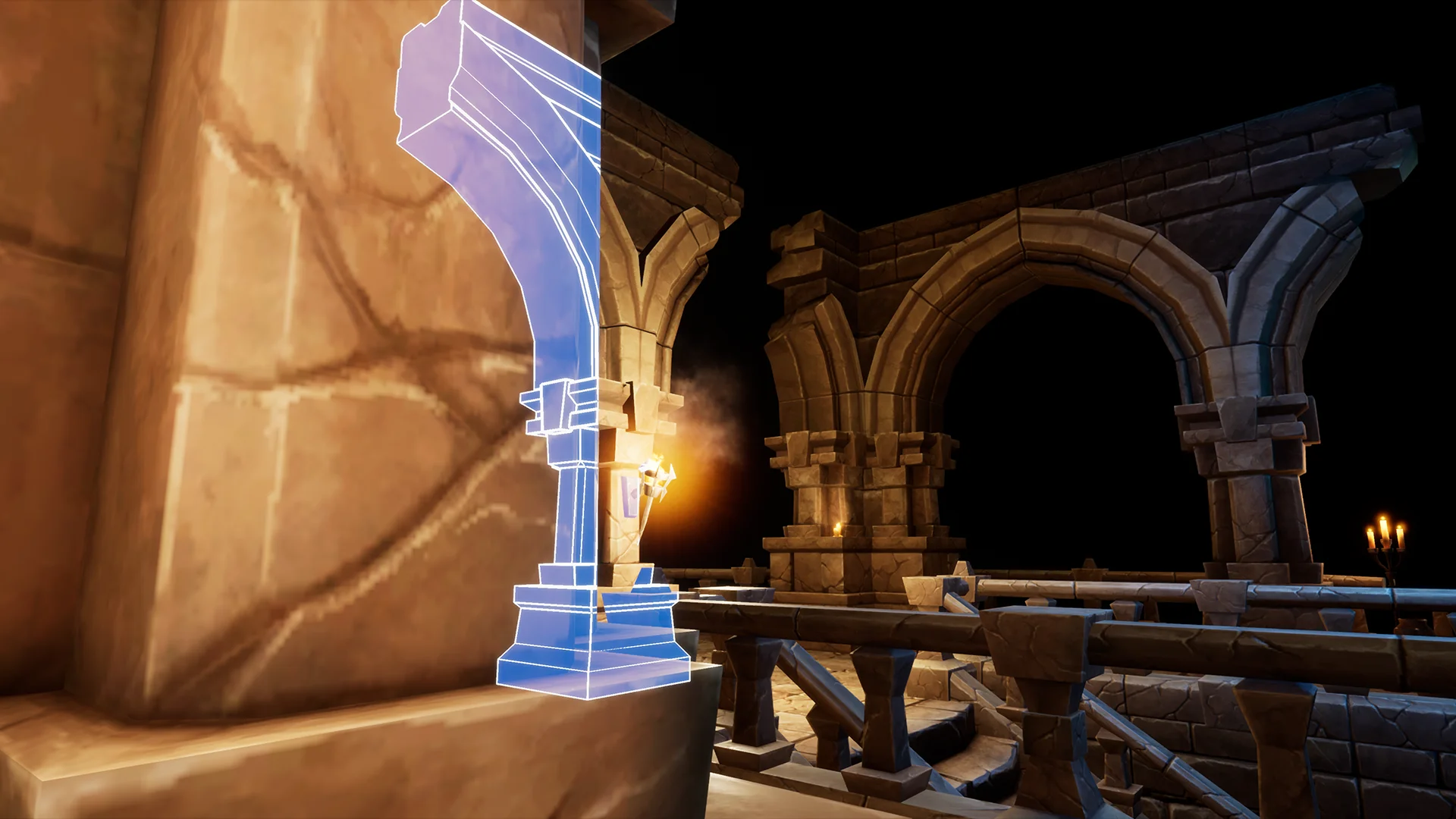
The Custom Depth Stencil Pass in Unreal Engine is a special rendering feature that allows selected objects to write extra information to a separate buffer while the scene is being drawn. In simple terms, it gives the engine a way to "mark" certain objects so they can be treated differently in materials. It is commonly used for things like outlines, highlighting interactive items, X-ray style effects, object masking, or making specific actors visible through walls.
This article explains how to enable it in your project and uses the Highlight post process material to demonstrate how the Custom Depth Stencil Pass works.
How to enable the Custom Depth Stencil Pass
Unreal Engine
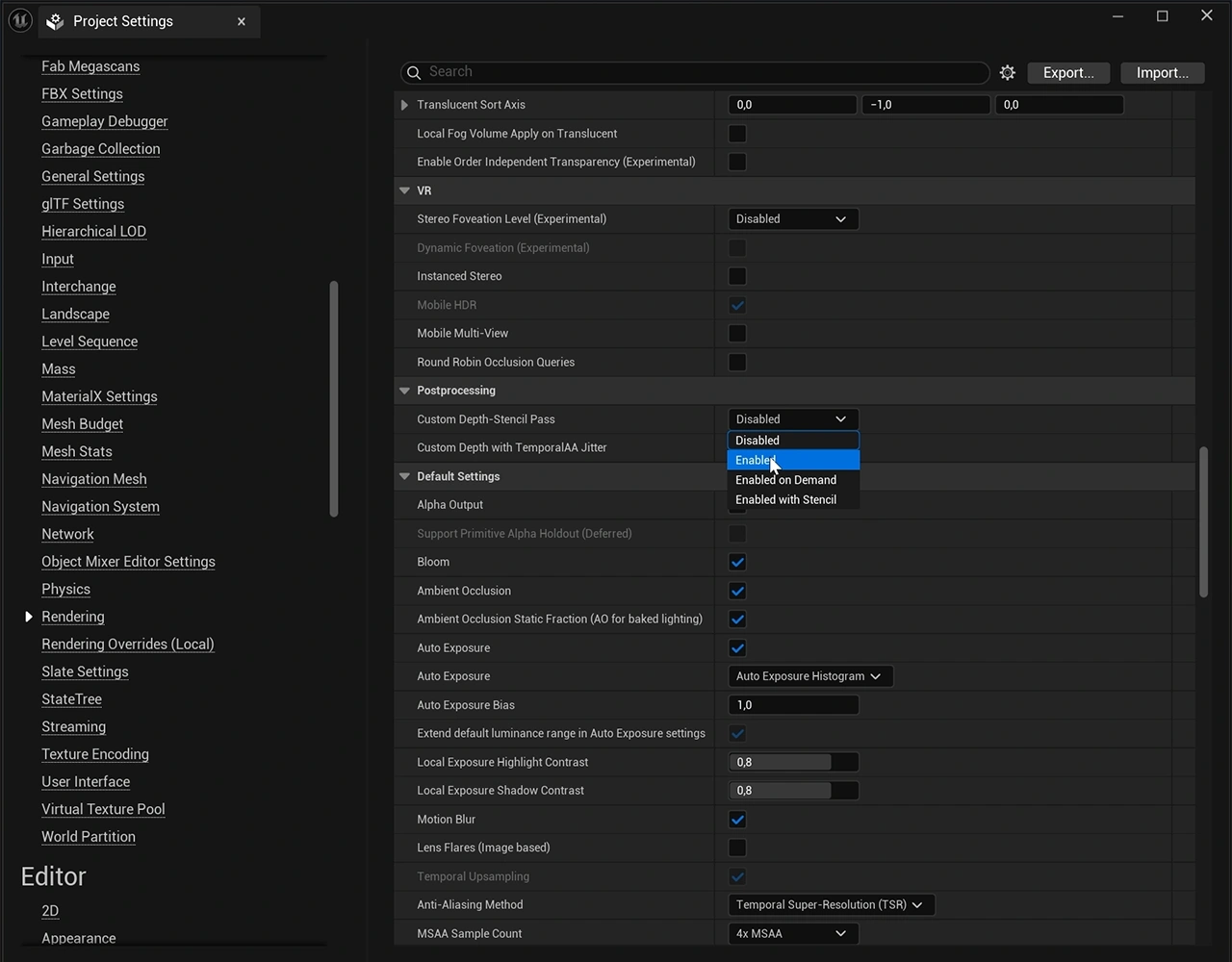
To enable Custom Depth Stencil Pass in your project:
- Open Project Settings by going to Edit > Project Settings.
- Find the Custom Depth-Stencil Pass under Engine > Rendering > Post Processing.
- Then set Custom Depth-Stencil Pass to Enabled.
Unreal Editor for Fortnite (UEFN)
In UEFN, the Custom Depth Stencil Pass is already enabled by default.
Using the Custom Depth Stencil Pass
To demonstrate the Custom Depth Stencil Pass, we will use the Highlight post process material.
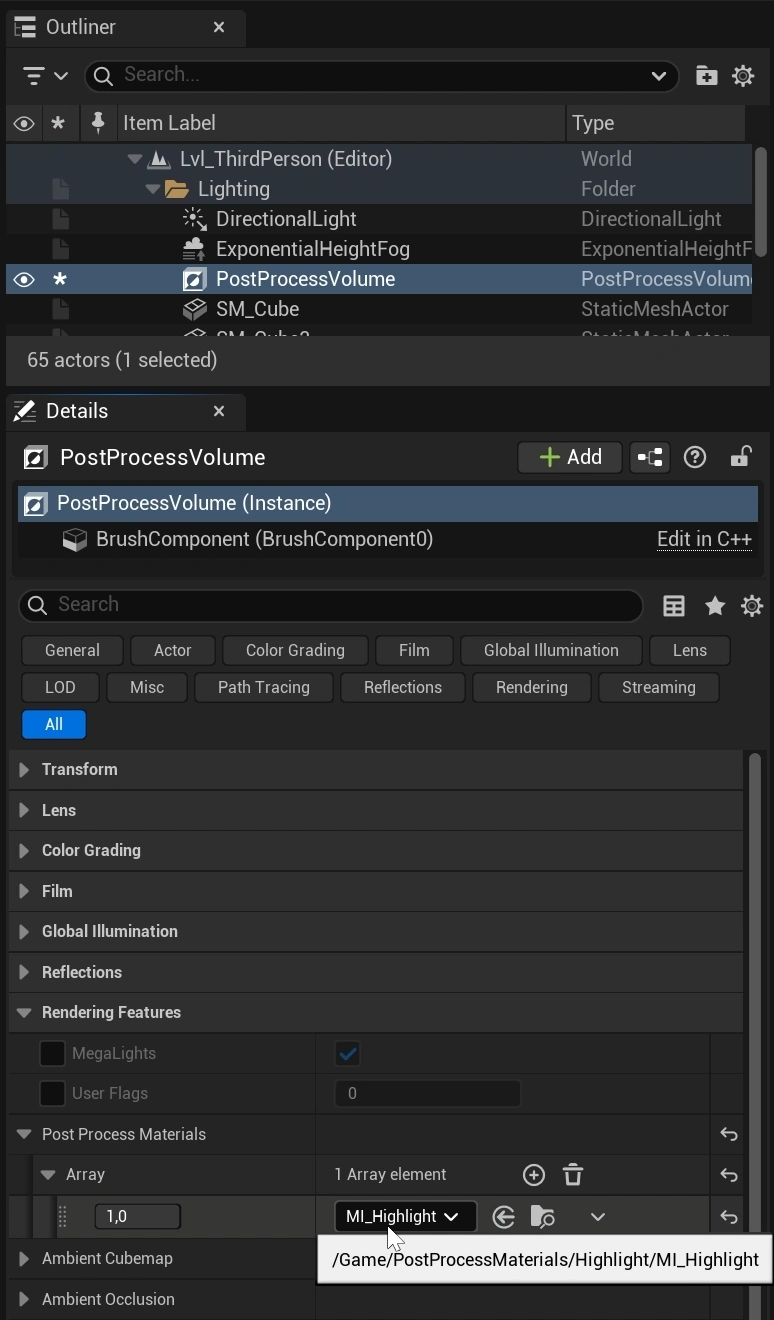
Set up your Post Process Volume
- Add a Post Process Volume to your scene, from the Place Actors window.
- Select the Post Process Volume, and in the Details panel, scroll down to Rendering Features > Post Process Materials and add a new array element.
- Click the element saying: Choose and select Asset Reference.
- Assign the Highlight post process material to that slot.
For more information about post process materials, read An introduction to post process materials.
Applying the effect to a Static Mesh
- Select a static mesh in your scene.
- In the Details panel, go to Rendering > Advanced and enable Render CustomDepth Pass.
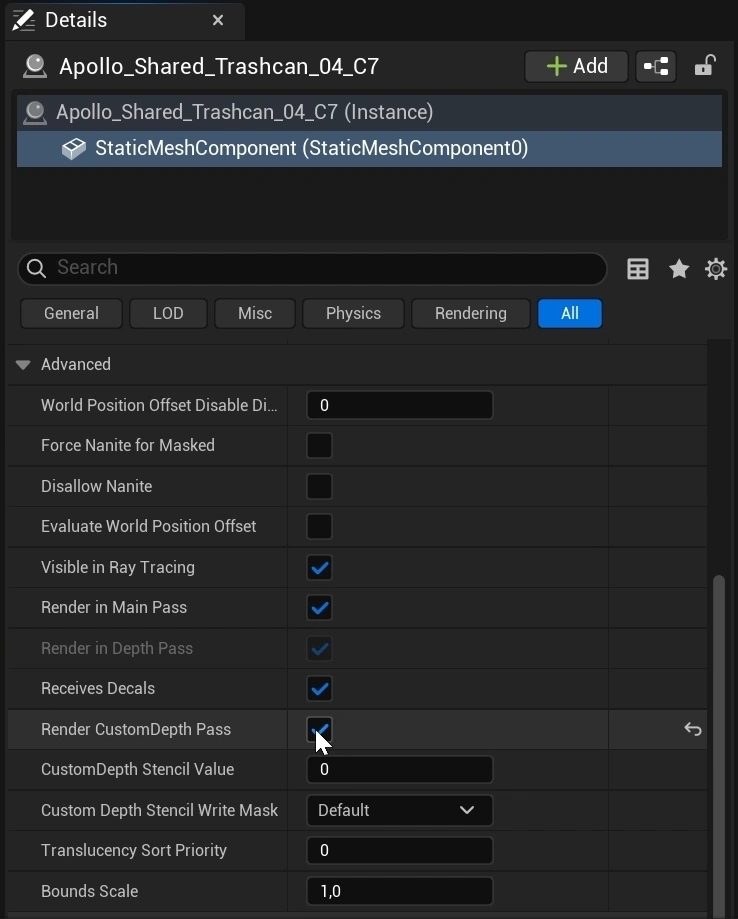
This allows the actor to be written into the custom depth buffer.
You will also see options for Stencil Value and Write Mask in the details panel. These can be useful for more advanced setups, but for this Highlight post process material, you do not need to change them.
If you can't find the Render CustomDepth Pass checkbox in Unreal Engine or UEFN, make sure you have selected the actual StaticMeshComponent, not just the actor.