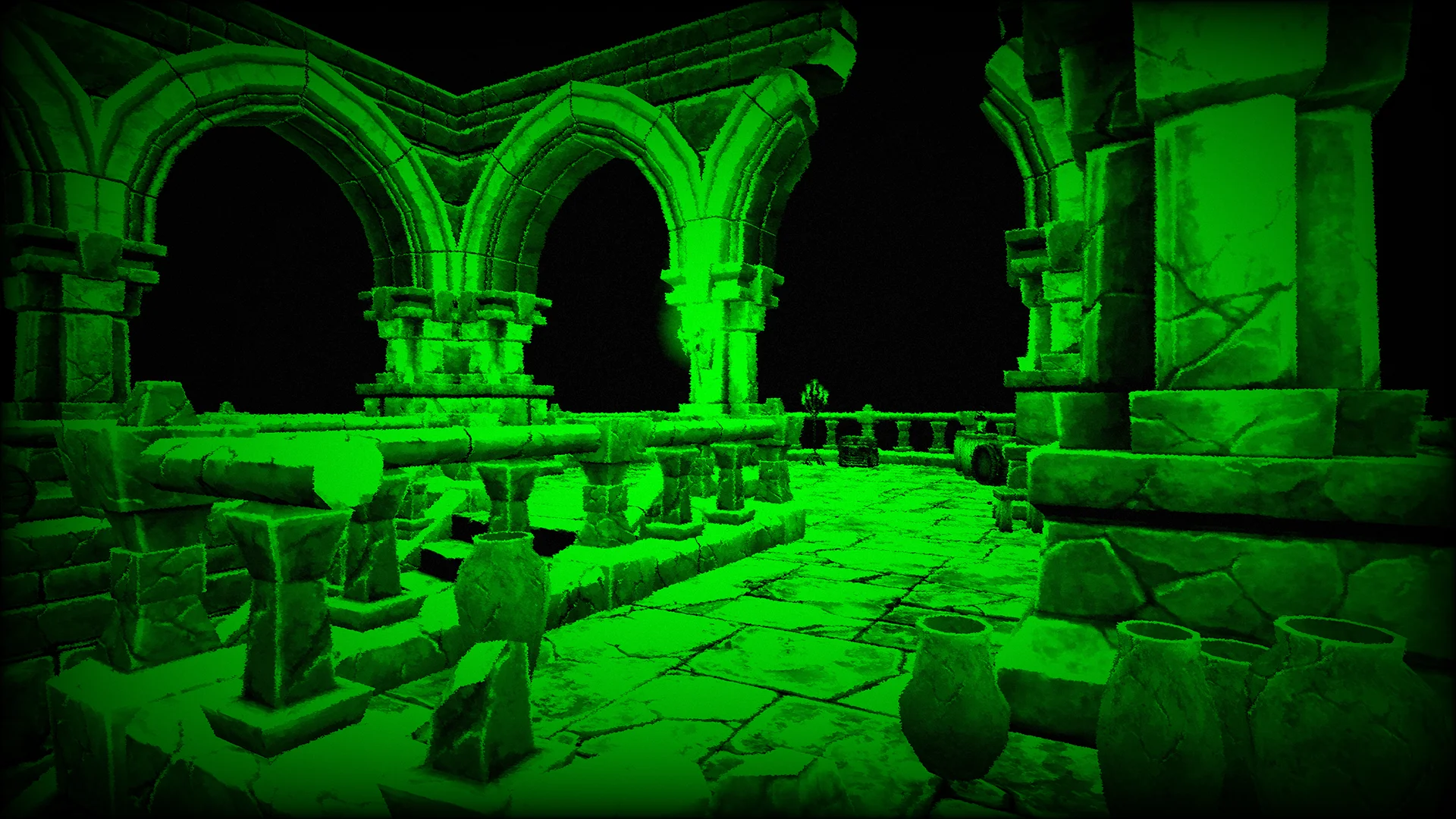
Night Vision
Green night vision effect for stealth, surveillance, tactical, and low-light scenes.
- Commercial License
- FREE Lifetime Updates
- And 15+ other features and benefits!
 Buy on Gumroad


Information
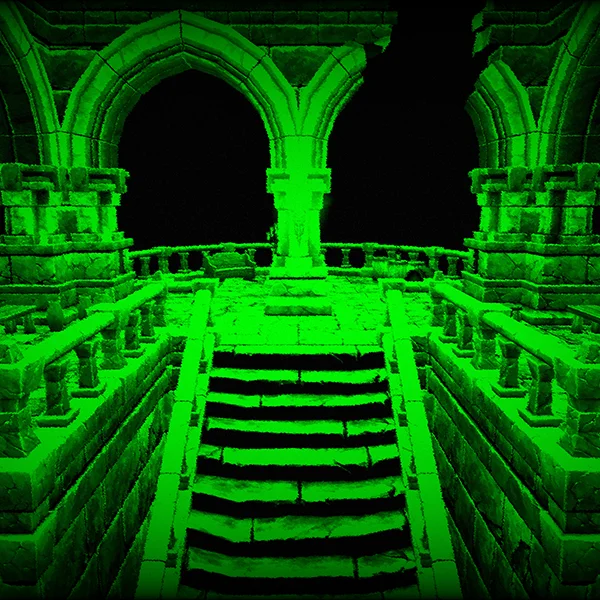
Night Vision is a post process material for Unreal Engine that gives the image a classic night vision look with a green tint, vignette, and jittering noise. It works well for stealth gameplay, military scenes, surveillance cameras, tactical searches, or any moment where the player needs to feel like they are seeing through specialized optics in the dark.
Material Parameters
General
- Brightness:
- Controls the brightness.
- Contrast:
- Controls the contrast.
- Lightness:
- Controls the base lightness. Decreasing this value will fade out shadows.
- Diffuse Lightness:
- Controls the diffuse lightness. Increasing this value will make dark areas brighter.
- Color:
- Controls the night vision color.
- Noise Opacity:
- Controls the noise opacity.
- Vignette Strength:
- Controls the vignette strength.
Jitter
- Texture:
- Controls the jitter texture.
- Texture Tiling & Offset:
- Controls the UV tiling and offset. RG = Tiling, BA = Offset. (Use a negative tiling value to flip the UVs.)
- Texture Rotation:
- Controls the rotation angle and anchor point position. R = Angle, G = Anchor point U axis, B = Anchor point V axis. (Use degrees for rotation angle)
- Mask:
- Allows the user to enable or disable texture channels. The RGBA channels can be used.
- Strength:
- Controls the jitter strength.
- Animation Speed X:
- Controls the panning animation speed on the X axis.
- Animation Speed Y:
- Controls the panning animation speed on the Y axis.
Included Files
 Total Files
- 3
 Total Size
- 3.62 MB
 Post Process Materials
- 1
 Material Instances
- 1
 Textures (1K)
- 1
All files and assets adhere to Unreal Engine naming conventions (such as, T_Texture, BP_Actor) and are organized in a clear, consistent folder structure.
Compatibility
Supported Engine Versions
 Unreal Engine 5.0+
 UEFN
UEFN
Supported Editor Platforms
 Windows
  Mac
Mac  Linux
Linux
Supported Target Platforms
Windows
Mac
Linux
 VR
VR
 PlayStation
 Xbox
Xbox
 Nintendo Switch
 Steam Deck
 Android
 iOS
iOS
Supports current-generation consoles.
Supported Technologies
Nanite
SupportedLumen
SupportedMegaLights
SupportedNiagara
SupportedPath Tracer
SupportedSubstrate
SupportedChaos
SupportedPCG
SupportedReplication
SupportedSupported Rendering Features
Rendering Techniques
Graphics APIs
Upscaling
Performance
Performance Score
A++
(Extremely Lightweight)
This score shows how much the product impacts your project's performance. A higher score indicates better performance and a smoother overall experience, with A++, A+, and A ratings having little to no impact on FPS (frames per second).
The performance score is based on the product's Frame Impact (Average) value.
Benchmark Configuration:
- Test project: Lyra Sample Game – Expanse level
- Engine Version: Unreal Engine 5.8
- Build type: Packaged Development Build
- Graphics settings: Epic scalability preset (the highest settings in the Lyra Sample Game)
- Rendering settings: DirectX SM6, Unreal TSR, Deferred Rendering
- Screen resolution: Native 4K (no upscaling)
- Performance profiling: Unreal Insights Trace
- Test length: Three 60-second playthroughs
- OS: Windows 11 Pro
We use hardware from 2016, 2019, and 2025 to measure performance. The official performance score is based on 2025 hardware. Older hardware is used to ensure compatibility and reduce the risk of unintended behavior. You can view the hardware details for a complete list of the systems we use.
Possible performance scores:
- A++: Extremely Lightweight
- A+: Very Lightweight
- A: Lightweight
- B: Light
- C: Medium–light
- D: Medium
- E: Medium–heavy
- F: Heavy
For asset packs, the overall score is determined by the average score across all benchmarked assets.
Frame Impact (Average)
0.02304
ms
Frame Impact values are derived from the product's average GPU frame time contribution. Performance metrics were captured and profiled using Unreal Insights Trace.
Frame Time is the total elapsed time to complete and present a frame, including CPU execution, GPU execution, and any synchronization or waiting between them. Frame Time (ms) = 1000 / FPS:
- 120 FPS ≈ 8.33 ms per frame
- 60 FPS ≈ 16.66 ms per frame
- 30 FPS ≈ 33.33 ms per frame
As Frame Time increases, FPS decreases.
At a 120 FPS target (8.33 ms per frame), our products typically impact frame rate by ~0.1 – 2 FPS. These numbers come from a benchmark designed to push our products to their limits. In most cases, you can expect similar or better performance in your own projects, depending on your content and whether you're CPU- or GPU-bound.
By default, Unreal Engine renders below native resolution using TSR, but our benchmark uses 100% Screen Percentage at native 4K to measure worst-case Frame Impact. For more information about the benchmark configuration, see the Performance Score.
For asset packs (multiple assets), a value range (e.g., 0.034 – 0.076 ms) represents the minimum and maximum Frame Impact across the benchmarked assets.
- Implementation Indicates whether the product is implemented using Blueprint / Material nodes, written code C++ / HLSL, or a combination of both.
- Material nodes
- Parameters Number of exposed parameters to allow easy real-time adjustments. A range indicates the minimum and maximum number of parameters across the product.
- 14
- Instruction Count (PS/VS)
Total number of instructions executed by the GPU for the Pixel Shader (PS) and Vertex Shader (VS) across the product. A material that uses static switches can have a range of instructions rather than a fixed value. A range indicates the minimum and maximum number of instructions across the possible material variants.
Default Materials (SM6, in UE 5.8) have a default instruction count of:
Pixel Shader: 186 instructions
Vertex Shader: 148 instructions
Post Process Materials (SM6, in UE 5.8) have a default instruction count of:
Pixel Shader: 91 instructions
Vertex Shader: 148 instructions - 85 / 153
- Texture Samplers
Number of unique texture samplers used in the materials across the product. A material that uses static switches can have a range of texture samplers rather than a fixed value. A range indicates the minimum and maximum number of texture samplers across the possible material variants.
Scene Textures also contribute to the sampler count. - 1
- Memory Size
Memory used by the benchmarked asset once it's loaded and ready for use. This includes all referenced dependencies (textures, materials, meshes, etc.).
A range indicates the smallest and largest asset sizes included in the benchmark.
Size references for empty assets with no dependencies:
• Material: 43.5 KiB
• Post Process Material: 51.3 KiB
• Blueprint Actor: 4 KiB
Memory size may vary between Unreal Engine versions. A memory size above 15 MiB is common for many assets. - 36.2 KiB
- Disk Size
Storage space used on disk by the benchmarked asset. This includes all referenced dependencies (textures, materials, meshes, etc.).
A range indicates the smallest and largest asset sizes included in the benchmark.
Size references for empty assets with no dependencies:
• Material: 8.3 KiB
• Post Process Material: 9.1 KiB
• Blueprint Actor: 23.3 KiB
Disk size may vary between Unreal Engine versions. A disk size above 30 MiB is common for many assets. Disk size is mostly relevant for mobile projects and can often be ignored for PC or console projects. - 28.3 KiB
- Benchmark hardware System hardware configuration used to determine the performance score and evaluate the impact on average frame time.
- Hardware details
Hover over or click a label to see more technical details.
Changelog
- 1.3 (Current – 2026-03-12)
- Updated the Gumroad product page.
- 1.2.1 (2026-03-02)
- Added UEFN support.
- 1.2 (2026-02-26)
- Improved the post process material code and reduced dependencies.
- 1.1.1 (2026-02-03)
- Updated the product description and clarified parameter descriptions.
- 1.1 (2026-01-16)
- Migrated product to the new website.
- 1.0 (2022-07-07)
- Initial release.
Frequently Asked Questions
Can't find what you're looking for?
We're happy to help! Our goal is to make sure you never get stuck!